I’ve spent the better part of 12 years auditing WordPress media libraries that look like digital junk drawers. You know the ones: 400 versions of IMG_5492.jpg, giant uncompressed PNG hero images that take six seconds to load on a 4G connection, and alt text that reads like a robot having a seizure—something like "red-shoes-cheap-sneakers-discount-buy-now-best-leather-shoes."
If your speed report is consistently coming back with a grade that makes you want to hide under your desk, it’s time to stop treating images as an afterthought. Today, we’re going to talk about structured data for images. We’ll cut through the fluff and look at what actually moves the needle.
Why Image SEO Still Matters (Even in the AI Era)
Some marketers think that because we have fancy LLMs and voice search, the humble image file is dead. They’re wrong. Google has been doubling down on visual search for years. Whether it’s Google Lens or the visual results appearing in the SERPs, if your images aren’t optimized, you are leaving traffic on the table.
When I look at high-performing content from industry leaders like HubSpot or research-heavy pieces from Backlinko, I notice a pattern: they treat their imagery as a primary asset, not just a way to break up text. If you aren't optimizing your files, you aren't just missing out on traffic; you’re hurting your Core Web Vitals—and we all know that mobile load time is a massive ranking factor now.
The Basics: Before You Even Touch Schema
Before you worry about adding complex structured data, you need to clean up your media library hygiene. If your image files are a mess, Google won’t care if you have the best schema markup in the world.
1. Filenames Matter
If you’re uploading a file named DSC00912.jpg, you are failing. Search engines use filenames as a primary signal for what the image contains. Rename your files *before* you hit the upload button. Use descriptive, hyphenated keywords.
- Bad: IMG_9982.jpg Better: white-leather-shoes-side-view.jpg
2. The Alt Text Trap
I’ve audited hundreds of sites where the alt text is just a block of keyword stuffing. This is 2024; Google’s algorithms are smart enough to spot spammy alt text, and it adds zero value to screen readers. Your alt text should describe the image for a user who cannot see it.

Pro-tip: If the image is purely decorative, leave the alt attribute empty (alt=""). Don’t fill it with keywords just to hit a green light on a plugin.
3. Compression and Formatting
Nothing ruins a site’s performance faster than an uncompressed 4MB PNG hero image. If you’re using PNGs for photos, you’re almost certainly shipping bloated files. Learn to use ImageOptim or Kraken.io. These tools are non-negotiable in my workflow. I prefer tools that show me the "before-and-after" side-by-side—seeing a 70% size reduction without a perceptible drop in quality is the best way to get stakeholders on board with site speed initiatives.
What Is Schema Markup for Images?
Schema markup (or structured data) is a standardized vocabulary that you add to your HTML to help search engines understand your content. Specifically, ImageObject schema is the markup used to provide explicit information about an image to search engines.
When you implement ImageObject schema, you are providing structured metadata, such as:
- The image caption. The author/creator of the image. Licensing information. Image dimensions (height/width).
Essentially, you are moving beyond telling Google "this is a picture" and instead saying, "This is a high-resolution photograph of a pair of vintage white leather shoes, taken by our lead designer, with specific copyright permissions attached."
Does It Actually Help?
Here is where I need to be brutally honest with you, because I hate it when people over-promise on schema. Implementing structured data for images does not guarantee that you will rank #1 for "white leather shoes." It is not a magic SEO button.
However, it does help in these specific areas:
Rich Results: Proper schema can make your images eligible for "rich results" in Google Images, which often display more information like price, availability, or author credits. Context: If your content is ambiguous, schema provides the "source of truth" for search crawlers. Licensing Badges: If you use the license field in your schema, Google can display a "licensable" badge on your images, which can increase clicks from users looking for reputable, professional imagery.The SEO Comparison Table
To give you a clearer idea of where your effort should go, I’ve put together this quick comparison of image optimization tactics.
Optimization Tactic Effort Required Impact on Ranking Renaming files (e.g., white-leather-shoes.jpg) Low High Image Compression (via ImageOptim) Low Critical (Speed) Alt Text (Descriptive) Low Medium (Accessibility) Image Schema Markup Medium Conditional (Rich Results)How to Implement Image Schema Properly
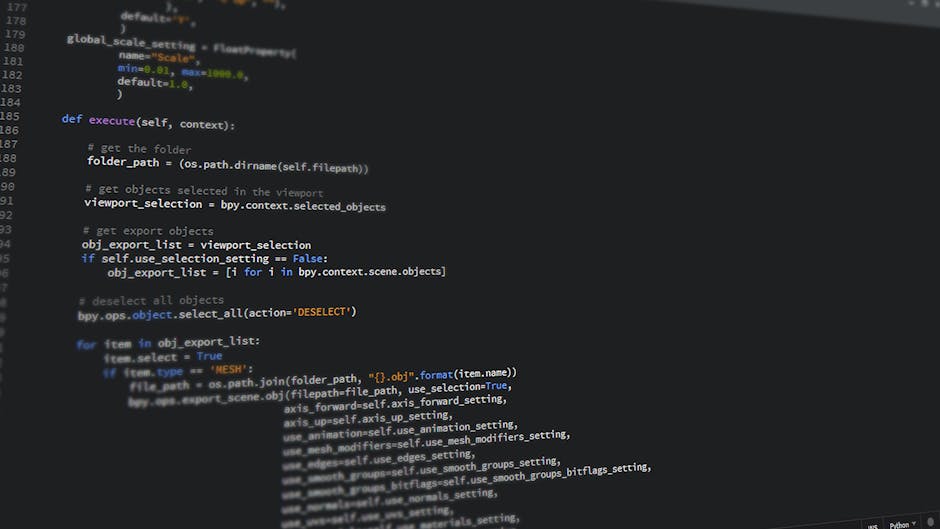
You don’t need to be a developer to add schema. Many WordPress plugins handle this, but if you want to be surgical about it, use JSON-LD. Here is an example of what that snippet looks like:
Place this in the or just before the closing tag of the specific page where the image appears. Don’t add it sitewide; only add it to pages where the specific image is the focal point.
Final Thoughts: Stop Neglecting Your Media Library
If you take anything away from this, let it be this: Speed is the priority. If your site is sluggish because of bloated images, no amount of schema markup will save your rankings. Clean up your media library, rename those files to white-leather-shoes.jpg rather than DSC0001.jpg, and compress everything until it squeaks.
Once you’ve mastered the fundamentals, then—and only then—start implementing schema. Structured data is the polish on a well-built house; if the foundation is rotting, the polish isn't going to hold the roof up.
noupeKeep your images lean, keep your alt text helpful, and for the love of SEO, please stop uploading uncompressed PNGs as hero images.